

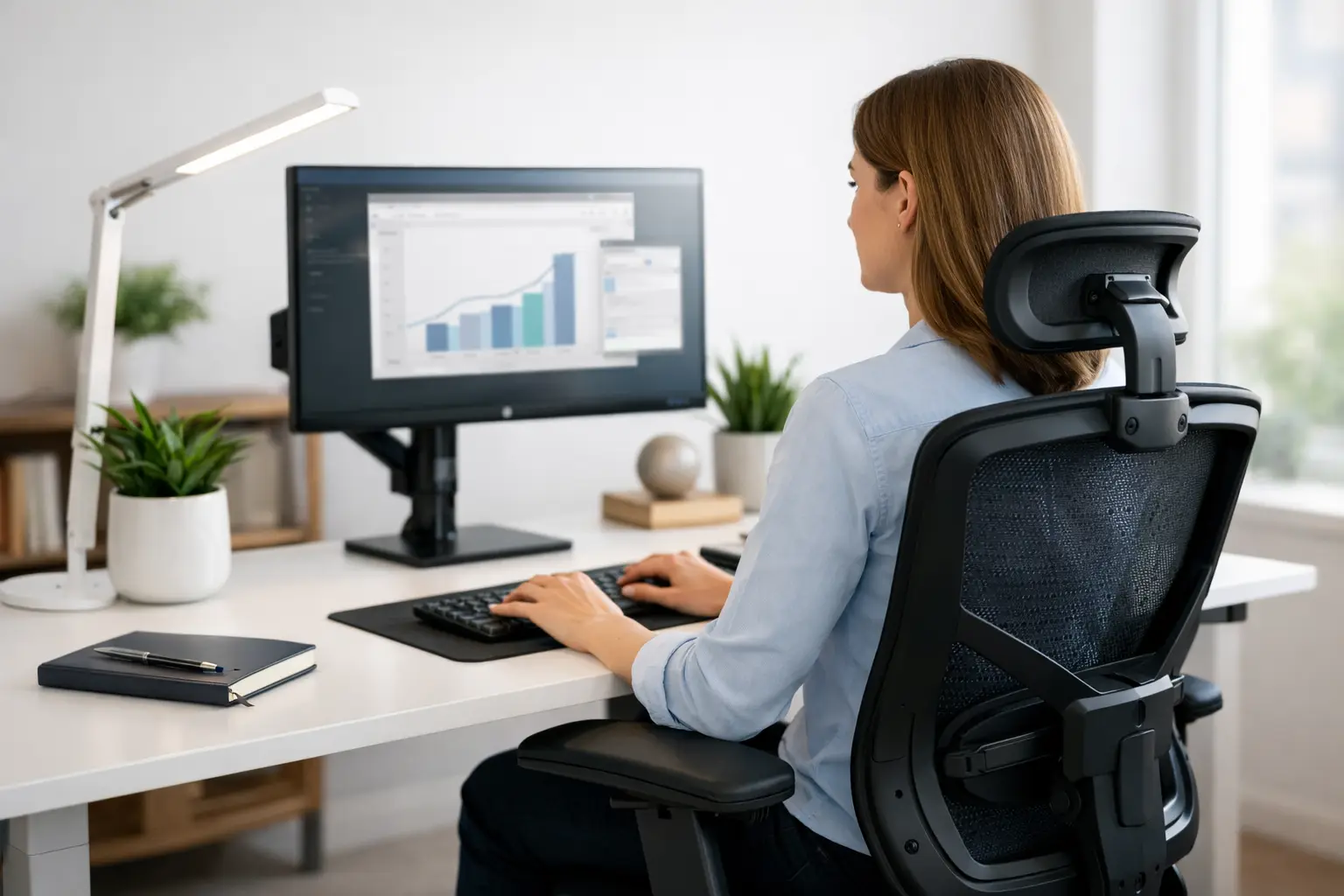
Your desk may be where deadlines get met, ideas take shape, and long days quietly add up in your body. A guide to healthy desk setup is not about creating a picture-perfect office. It is about arranging your work area so your neck, back, shoulders, wrists, and hips have more support throughout the day.
Many people wait until persistent stiffness, headaches, or low back discomfort interrupt their routine before changing their workspace. Small adjustments can help reduce unnecessary strain before it becomes your normal. The goal is comfort that supports your focus, mobility, and overall well-being, whether you work from a home office, a shared workspace, or a kitchen table.
Start With the Chair, Not the Screen
A supportive desk setup begins at the point where your body spends the most time: the chair. Sit back so your lower back is supported by the chair’s curve or by a small lumbar cushion. Your hips should rest comfortably toward the back of the seat rather than perched at the edge.
Aim to have both feet flat on the floor, with your knees roughly level with or slightly below your hips. If your feet cannot comfortably reach, use a stable footrest or a firm stack of books. Hanging feet can create tension through the legs and pelvis, while a chair that is too low may encourage slouching.
Your chair does not need to be expensive to be helpful. Adjustability matters more than a label. A seat that lets you change height, provides reasonable lower-back support, and allows your shoulders to relax is often a better choice than a stylish chair that keeps your body in one rigid position.
Position Your Screen for a Relaxed Neck
A monitor that sits too low is one of the most common reasons people spend the day with their head tipped forward. That forward-head posture can ask more of the muscles in your neck and upper back, especially when it becomes a daily habit.
Place the top third of your screen near eye level, or slightly below it if that feels more natural for your vision. Keep the monitor about an arm’s length away as a starting point. The right distance depends on your screen size and eyesight, so adjust until you can read comfortably without leaning forward or squinting.
If you use a laptop, the screen and keyboard are attached, which creates a trade-off. Raising the laptop improves screen height but makes the keyboard too high for comfortable typing. A simple laptop stand paired with an external keyboard and mouse solves this problem for many people. If that is not available, choose the position that you use most and take more frequent movement breaks.
For two monitors, place the primary screen directly in front of you. If you use both equally, position them close together in a slight curve so you are turning your eyes and torso gently, not repeatedly twisting your neck.
Keep Your Keyboard and Mouse Within Easy Reach
Your keyboard should sit at a height that allows your elbows to stay close to your sides and bent at about 90 degrees. Your shoulders should feel relaxed rather than lifted toward your ears. If you find yourself reaching forward, lowering your wrists, or tightening your upper back to type, adjust the chair, keyboard tray, or desk height.
Keep the mouse close to the keyboard. Reaching outward to use it for hours can contribute to shoulder and forearm tension. A mouse that fits your hand comfortably is also worth considering, particularly if you notice soreness in your thumb, wrist, or forearm after work.
Try to keep your wrists in a neutral, straight position instead of bent sharply up or down. Wrist rests can be useful during pauses, but they should not press into the wrists while you are actively typing. Your hands should move freely, with the desk setup doing the work of support.
A Guide to Healthy Desk Setup Includes Movement
Even an excellent chair cannot make stillness healthy for eight hours. Your body is designed to move, shift, reach, walk, and change positions. A healthy desk setup supports those natural changes instead of asking you to hold one “perfect” posture all day.
Set a reminder to stand, stretch, or walk briefly every 30 to 60 minutes. You do not need a long workout break to make a difference. Refill your water, step outside for a minute, walk to another room, or perform a few gentle shoulder rolls and chest-opening stretches.
A sit-stand desk can offer variety, but it is not required. Standing all day can be uncomfortable too, especially if you lock your knees or lean onto one hip. If you have a standing desk, alternate between sitting and standing based on how your body feels. When standing, keep the screen and keyboard at the same ergonomic height principles, and consider a supportive mat if you are on a hard floor.
Movement is also a helpful reset for your eyes. Follow the 20-20-20 approach when possible: every 20 minutes, look at something about 20 feet away for 20 seconds. It gives your vision a break and encourages you to lift your gaze away from the screen.
Make Your Workstation Work for Your Actual Day
The most useful setup is one that reflects your real work habits. If you spend part of the day on video calls, raise your camera near eye level so you are not looking down at your lap. If you refer to printed documents often, use a document holder placed near your monitor rather than laying papers flat on the desk.
If phone calls are a large part of your job, avoid cradling the phone between your ear and shoulder. Use speakerphone, headphones, or a headset so your neck can stay in a more comfortable position. These details may seem small, but repeated positions are what shape how your body feels at the end of a workweek.
Lighting matters as well. Position your screen to reduce glare from windows or overhead lights, and adjust brightness so it is comfortable for the room. Straining to see can lead you to lean in, tighten your jaw, or hold your shoulders stiffly without realizing it.
Notice the Signals Your Body Is Sending
Discomfort is not a personal failure, and it is not always solved by buying new equipment. Stress, sleep, activity levels, old injuries, workstation demands, and everyday posture all influence how your body responds to desk work. Pay attention to patterns: Does neck tightness build after video calls? Does low back discomfort improve when you walk? Do headaches appear after a long stretch without breaks?
Those observations can guide practical changes. You may need a higher monitor, more lumbar support, a different mouse position, or more movement during your day. Give one or two adjustments time to work rather than changing everything at once. That makes it easier to identify what genuinely helps.
Persistent pain, tingling, numbness, weakness, frequent headaches, or symptoms that interfere with sleep or daily activity deserve professional attention. A personalized evaluation can help identify postural habits, mobility restrictions, and areas of muscle tension that may be contributing to discomfort.
At Whole Health Chiropractic, care begins with listening to your goals and understanding the demands of your daily routine. Through individualized postural analysis, gentle spinal adjustments, and supportive therapies such as cupping when appropriate, our team can help you move with greater ease and build habits that support lasting comfort.
Your desk will never replace regular movement, restorative sleep, or attentive care when your body needs it. But it can become a place that supports your health instead of quietly working against it. Make one thoughtful change today, notice how your body responds, and let that progress support your journey toward feeling your best.

Pingback: Your Practical Guide to Pelvic Alignment - WHOLE HEALTH CHIROPRACTIC
Pingback: Best Office Chairs for Posture and Daily Comfort - WHOLE HEALTH CHIROPRACTIC
Pingback: A Practical Guide to Body Mechanics at Work - WHOLE HEALTH CHIROPRACTIC